Edit Your Artist Profile - Make your profile look exactly like you

Edit Your Artist Profile

Edit Your Artist Profile

Takes

2 minutes

2 minutes

Updated

Updated

Make your profile look exactly like you

Your profile is the first thing fans see when they join your space. A strong photo and a few words about who you are goes a long way. Here’s how to set it up in under 2 minutes.

How-To Guide
1

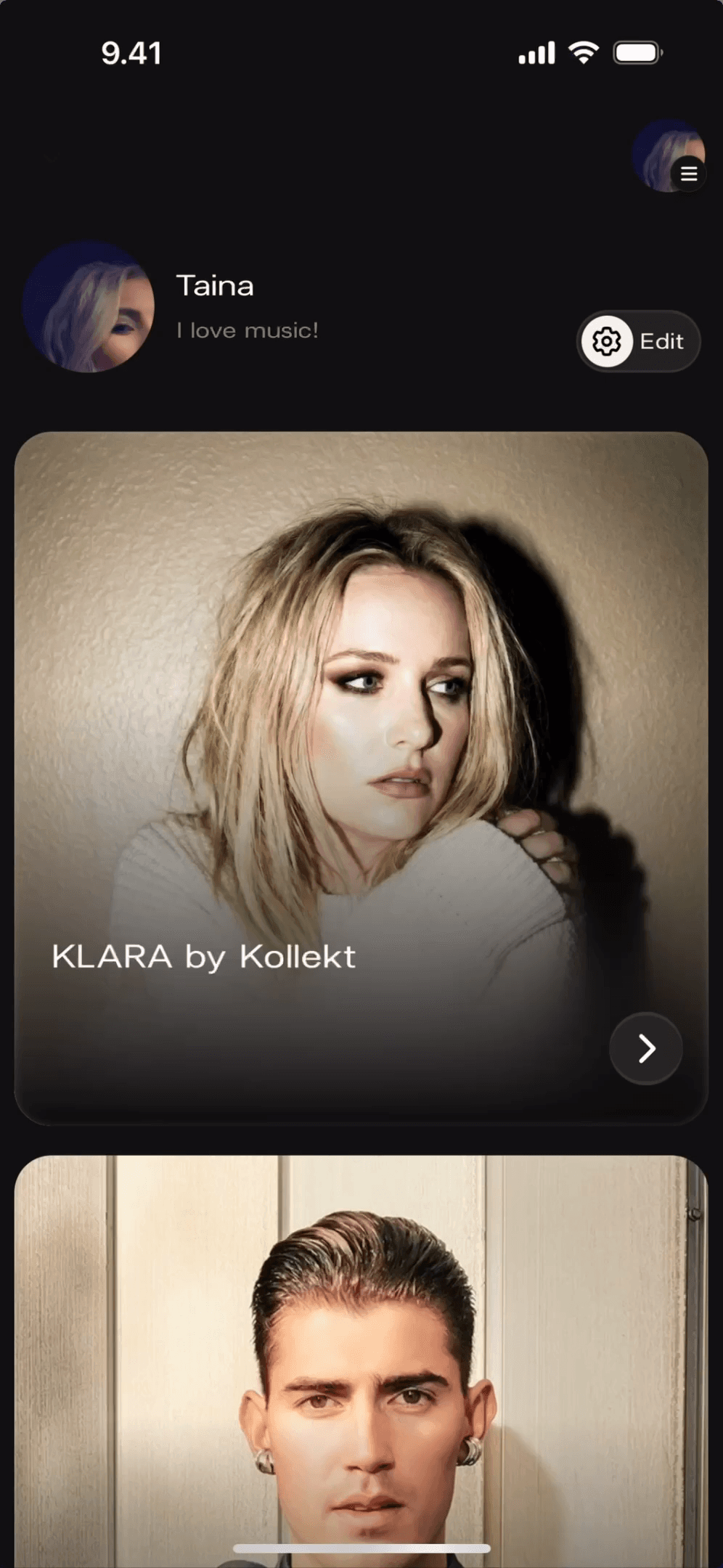
Find the Edit button on your Home screen

When you open Kollekt, you land on your Home screen. You'll see your name, your bio, and an Edit button in the top right corner. That's where everything starts — no menus to dig through.

No menus to dig through

Your profile opens in edit mode instantly

Tap the Edit button next to your name

1

Find the Edit button on your Home screen

When you open Kollekt, you land on your Home screen. You'll see your name, your bio, and an Edit button in the top right corner. That's where everything starts — no menus to dig through.

No menus to dig through

Your profile opens in edit mode instantly

Tap the Edit button next to your name

2

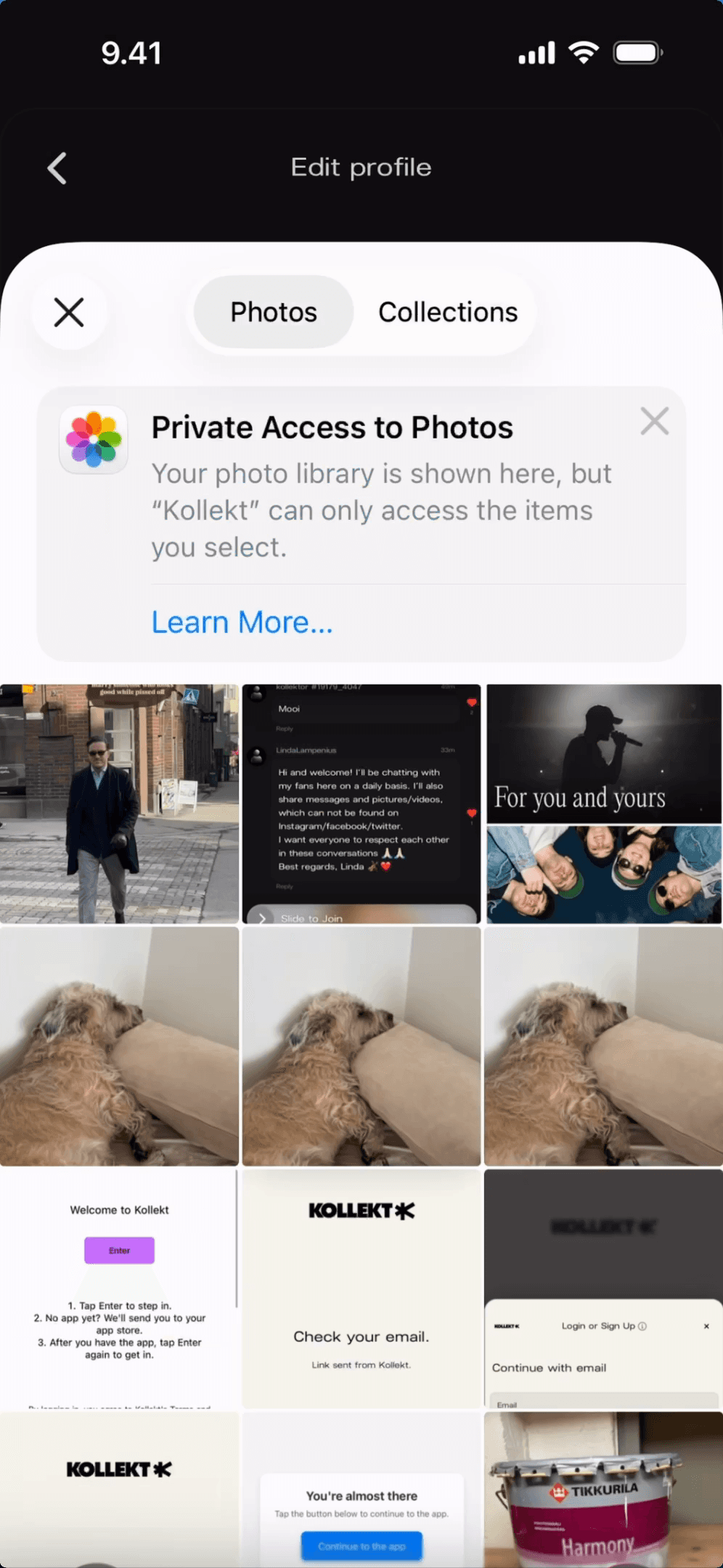
Pick the photo that represents you best

Tap your profile photo to open your photo library. Choose any image from your camera roll or collections. Your photo is the first thing fans see when they find your space — make it feel like you.

Allow photo access when prompted

Browse by Photos or Collections

Tap your profile photo to open the picker

2

Pick the photo that represents you best

Tap your profile photo to open your photo library. Choose any image from your camera roll or collections. Your photo is the first thing fans see when they find your space — make it feel like you.

Allow photo access when prompted

Browse by Photos or Collections

Tap your profile photo to open the picker

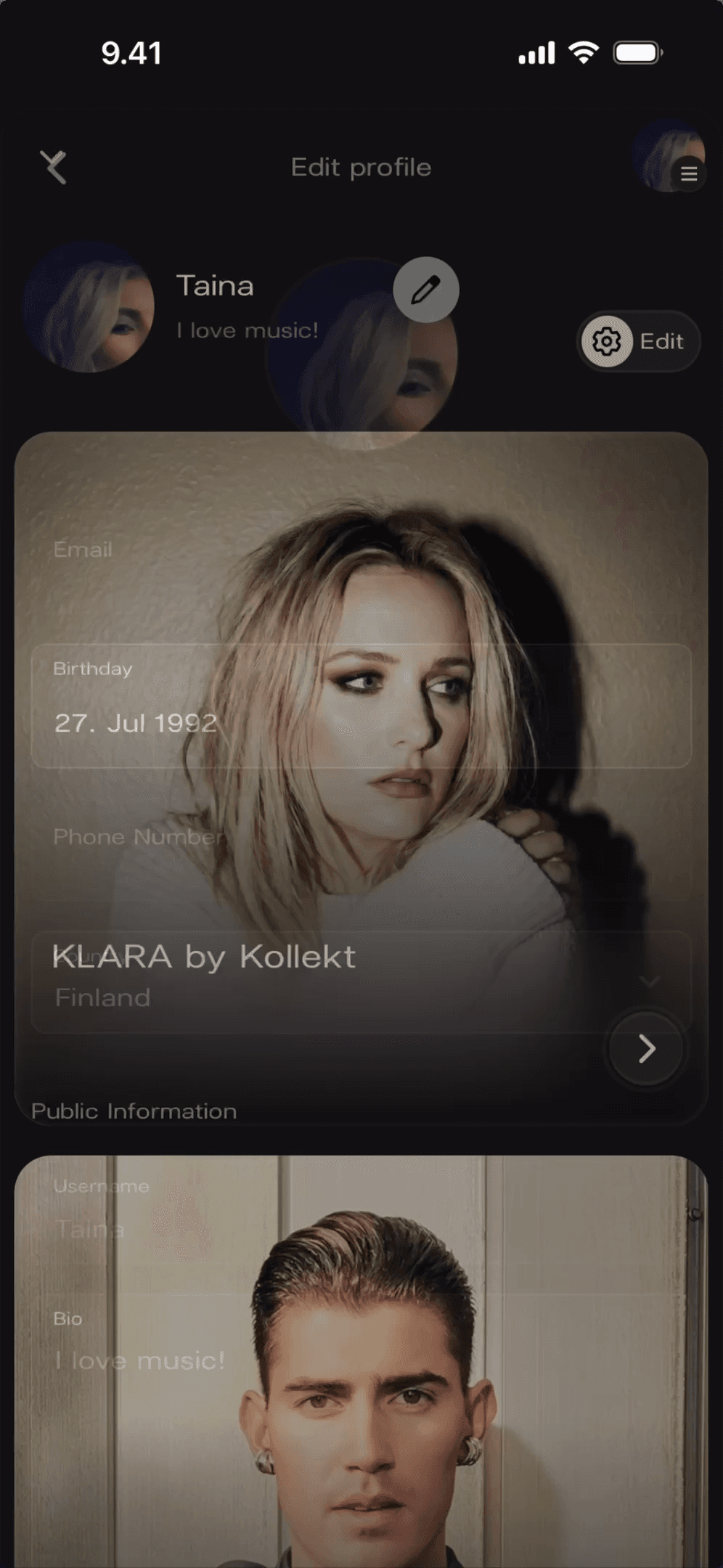
3

Add your bio and fill in your details

The Edit profile screen lets you write your bio, set your location, and add any details you want fans to know. Public fields show on your profile. Private fields — like your email and birthday — stay just for you.

Changes save as you go

Set your location so fans know where you’re based

Update your bio — keep it short and real

3

Add your bio and fill in your details

The Edit profile screen lets you write your bio, set your location, and add any details you want fans to know. Public fields show on your profile. Private fields — like your email and birthday — stay just for you.

Changes save as you go

Set your location so fans know where you’re based

Update your bio — keep it short and real

1

Find the Edit button on your Home screen

When you open Kollekt, you land on your Home screen. You'll see your name, your bio, and an Edit button in the top right corner. That's where everything starts — no menus to dig through.

No menus to dig through

Your profile opens in edit mode instantly

Tap the Edit button next to your name

2

Pick the photo that represents you best

Tap your profile photo to open your photo library. Choose any image from your camera roll or collections. Your photo is the first thing fans see when they find your space — make it feel like you.

Allow photo access when prompted

Browse by Photos or Collections

Tap your profile photo to open the picker

3

Add your bio and fill in your details

The Edit profile screen lets you write your bio, set your location, and add any details you want fans to know. Public fields show on your profile. Private fields — like your email and birthday — stay just for you.

Changes save as you go

Set your location so fans know where you’re based

Update your bio — keep it short and real

Get Started

Your space is ready when you are

Update it any time — no limits

Fans can find and follow you straight away

Your profile is live the moment you publish

No credit card needed

No credit card needed

No credit card needed

You might be thinking

You might be thinking

Where is the Edit button?

Can I change my profile photo any time?

What do fans actually see on my profile?

Do I need to tap Save after editing?