Make your profile yours
Add a photo, a bio, and a birthday. It takes less than a minute — and it’s how the community knows you.
How-To Guide
1
Find your profile
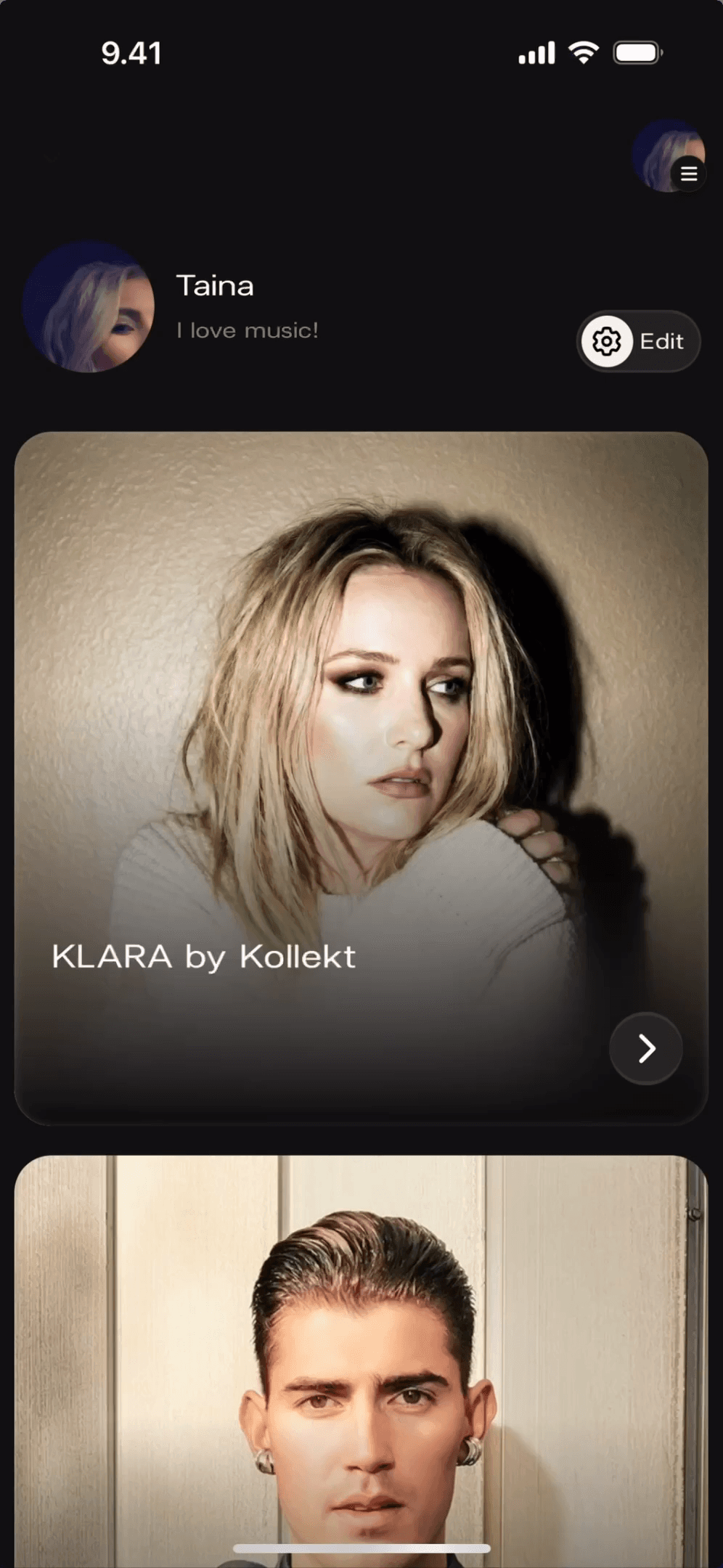
Your name and bio sit at the top of your home screen. Tap the Edit button to open your profile settings.
Your profile shows your name, photo, and bio right at the top
The Edit button is always visible next to your name on the home screen
Changes go live straight away — no waiting
1
Find your profile
Your name and bio sit at the top of your home screen. Tap the Edit button to open your profile settings.
Your profile shows your name, photo, and bio right at the top
The Edit button is always visible next to your name on the home screen
Changes go live straight away — no waiting
2
Change your profile photo
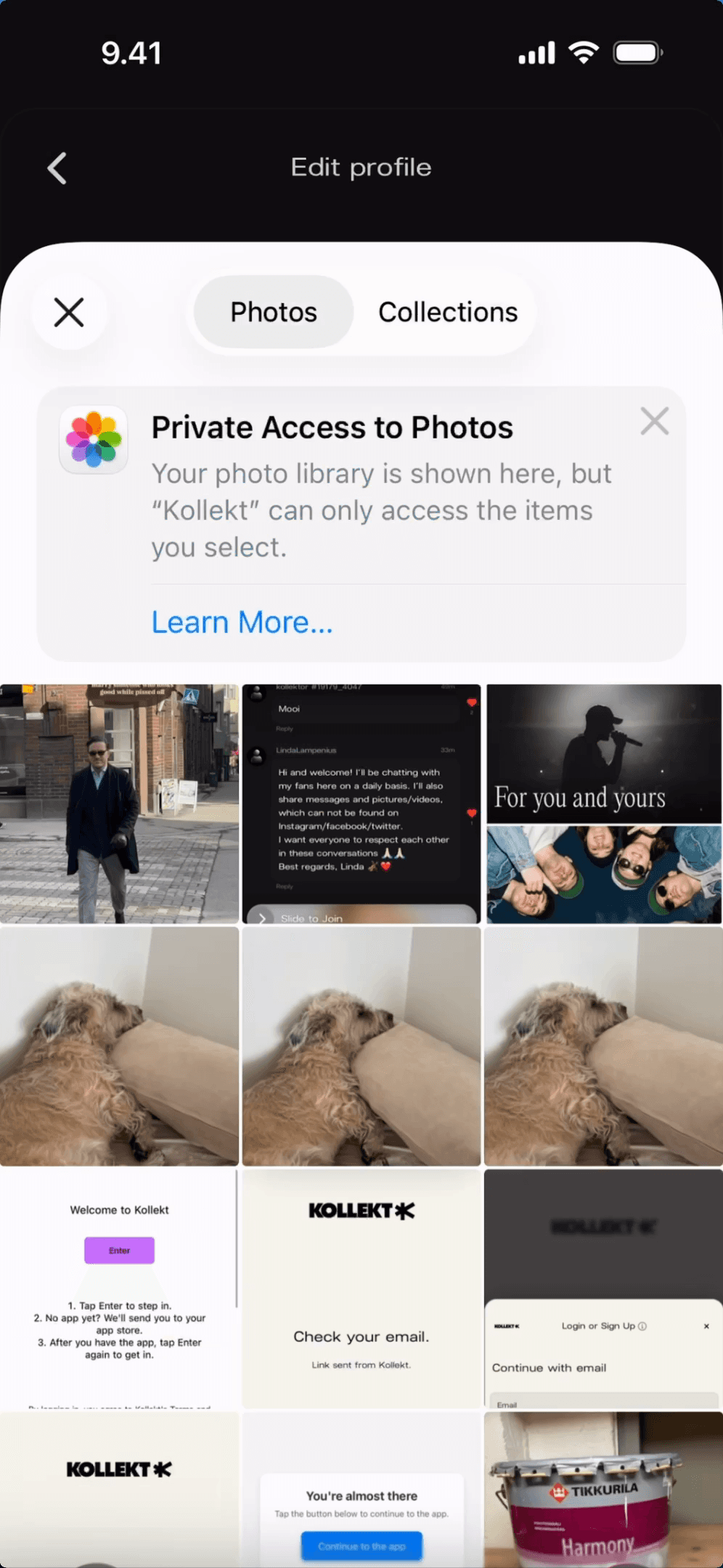
Tap your profile picture to open your photo library. Kollekt only accesses the photos you pick — nothing else from your library is seen or stored.
Tap your profile picture to trigger the photo picker
Browse Photos or Collections and select the one you want
Your new photo appears on your profile right away
2
Change your profile photo
Tap your profile picture to open your photo library. Kollekt only accesses the photos you pick — nothing else from your library is seen or stored.
Tap your profile picture to trigger the photo picker
Browse Photos or Collections and select the one you want
Your new photo appears on your profile right away
3
Fill in your details
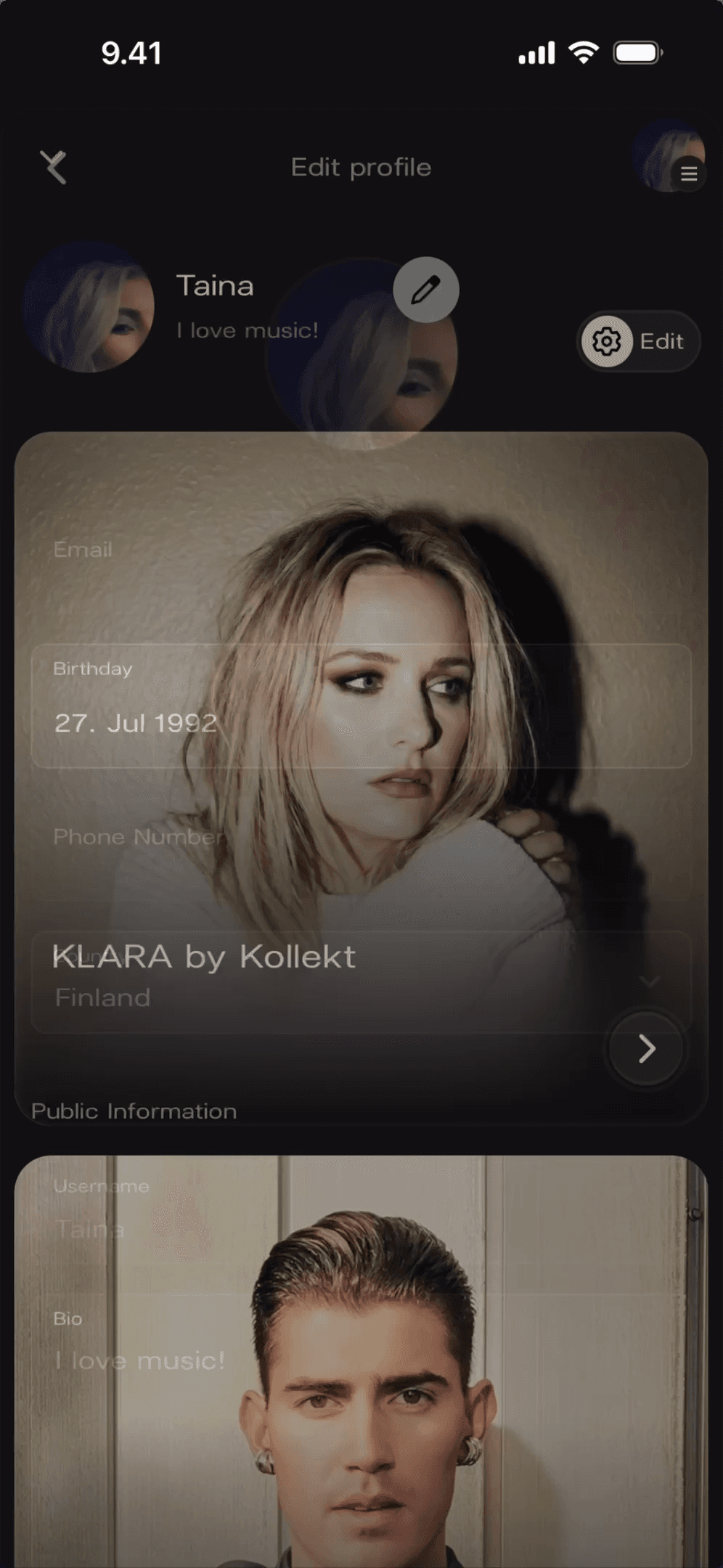
The Edit profile screen has everything in one place — your bio, your birthday, your email. Your bio is visible to others in the community. Everything else stays private.
Bio shows under your name on your profile — keep it short
Birthday and contact details are private to you
Tap any field to edit, then save when you’re done
3
Fill in your details
The Edit profile screen has everything in one place — your bio, your birthday, your email. Your bio is visible to others in the community. Everything else stays private.
Bio shows under your name on your profile — keep it short
Birthday and contact details are private to you
Tap any field to edit, then save when you’re done
1
Find your profile
Your name and bio sit at the top of your home screen. Tap the Edit button to open your profile settings.
Your profile shows your name, photo, and bio right at the top
The Edit button is always visible next to your name on the home screen
Changes go live straight away — no waiting
2
Change your profile photo
Tap your profile picture to open your photo library. Kollekt only accesses the photos you pick — nothing else from your library is seen or stored.
Tap your profile picture to trigger the photo picker
Browse Photos or Collections and select the one you want
Your new photo appears on your profile right away
3
Fill in your details
The Edit profile screen has everything in one place — your bio, your birthday, your email. Your bio is visible to others in the community. Everything else stays private.
Bio shows under your name on your profile — keep it short
Birthday and contact details are private to you
Tap any field to edit, then save when you’re done
Get Started
Your artists are one tap away
Support the artists you love, your way
Be part of the conversation in Chat
Get messages straight from the artists you follow
You might be thinking
You might be thinking
What can other people see on my profile?
Can I update my photo or bio later?
Do I need a profile photo to use Kollekt?
About the project