Make your profile look exactly like you
Your profile is the first thing fans see when they join your space. In a few taps, add your cover image, name, bio, social links, and music — and it looks great straight away.
How-To Guide
1
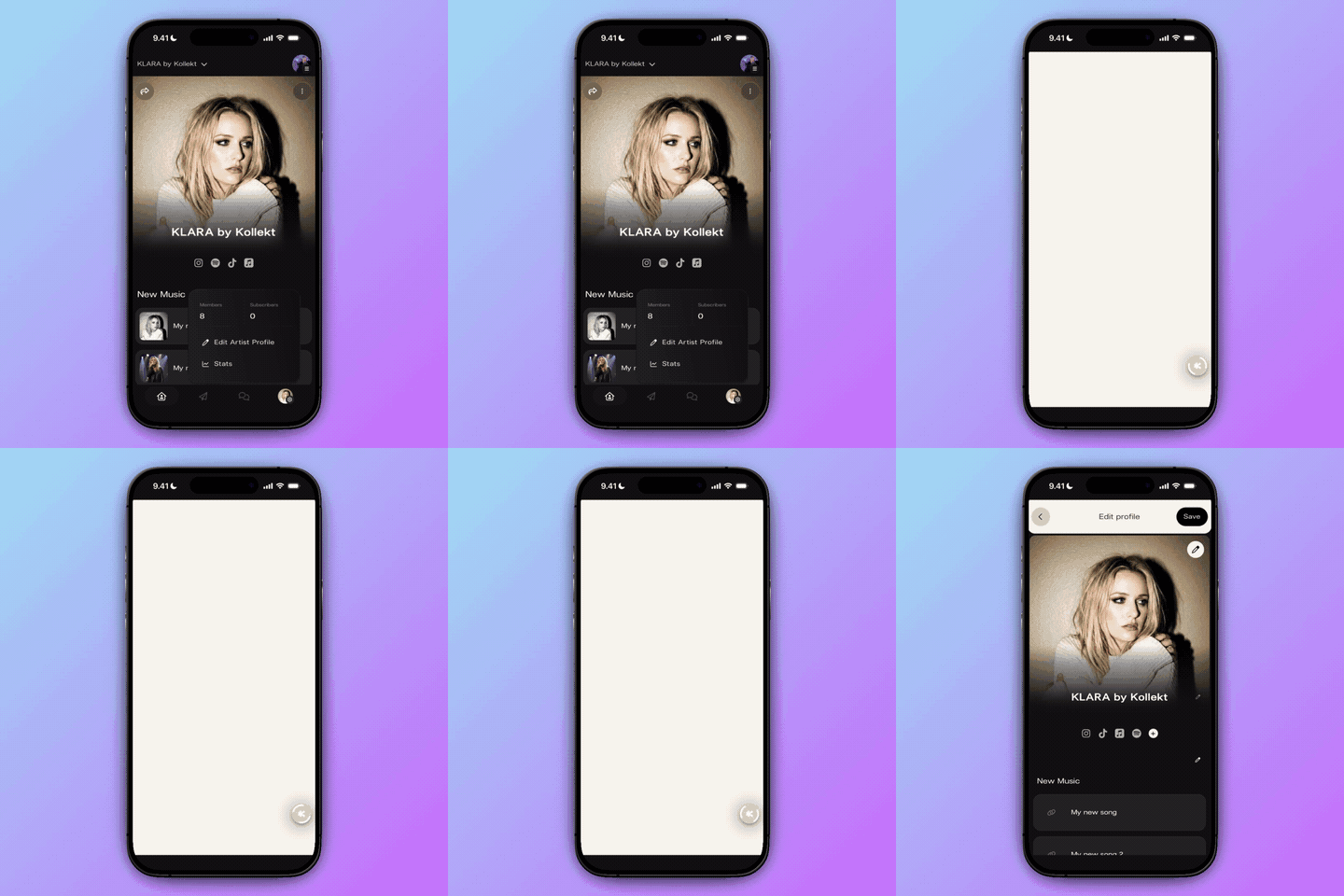
Tap the edit icon to open your profile settings
From your Kollekt home screen, tap the pencil icon in the top right of your profile area. This takes you straight into the Edit Profile screen where all your settings live in one place.
Open the Kollekt app and go to your profile
Tap the pencil icon in the top right corner
The Edit Profile screen opens instantly
1
Tap the edit icon to open your profile settings
From your Kollekt home screen, tap the pencil icon in the top right of your profile area. This takes you straight into the Edit Profile screen where all your settings live in one place.
Open the Kollekt app and go to your profile
Tap the pencil icon in the top right corner
The Edit Profile screen opens instantly
2
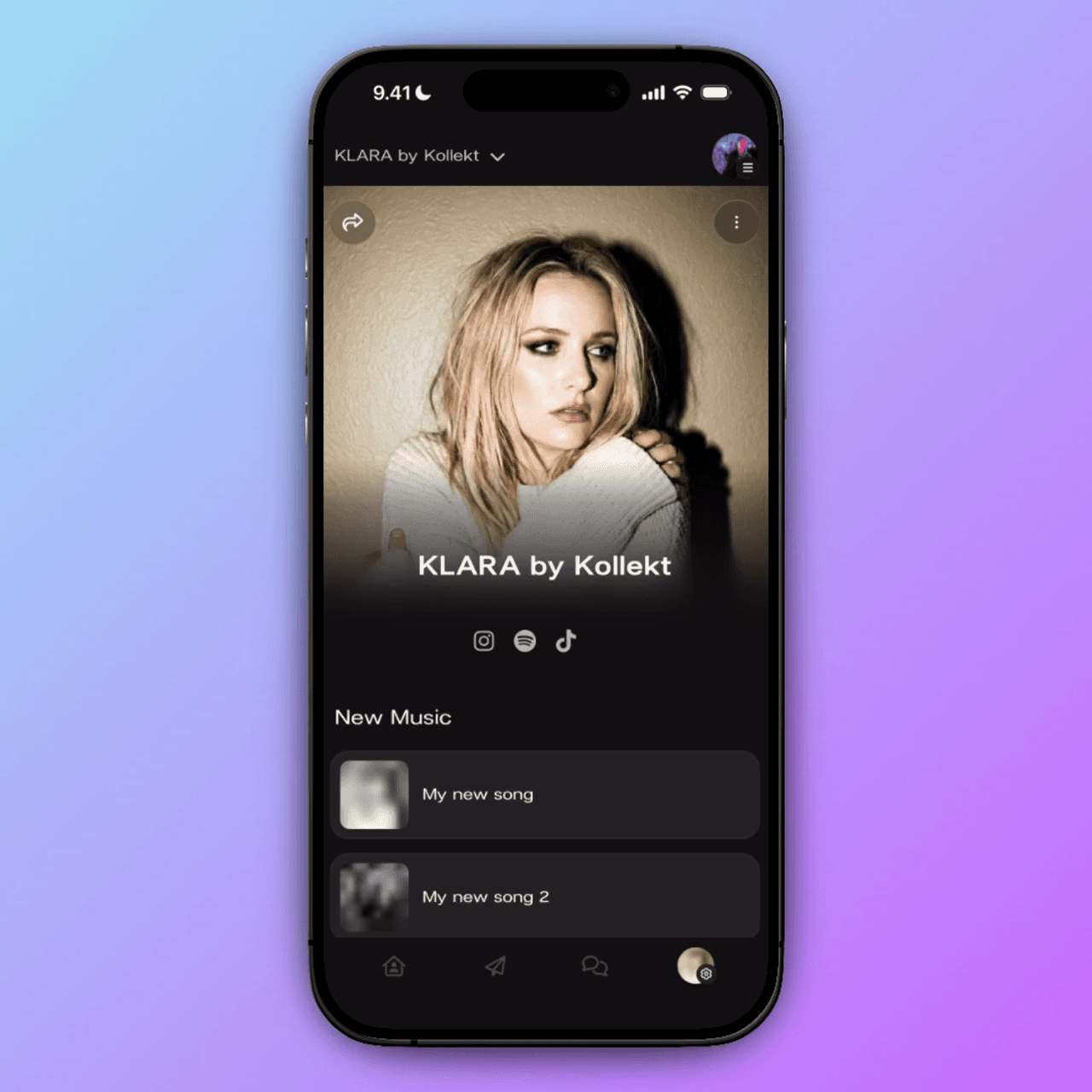
Add a cover image that tells your story at first glance
Tap the image area at the top to upload your cover photo — this is the first thing fans see when they land on your profile. Then tap the pencil icon next to your name to update how you appear across Kollekt.
Tap the image area to upload your cover photo
Use a sharp, high-res image for the best look
Tap the pencil next to your name to edit it
2
Add a cover image that tells your story at first glance
Tap the image area at the top to upload your cover photo — this is the first thing fans see when they land on your profile. Then tap the pencil icon next to your name to update how you appear across Kollekt.
Tap the image area to upload your cover photo
Use a sharp, high-res image for the best look
Tap the pencil next to your name to edit it
3
Connect your world so fans can follow you everywhere
Tap the ‘+’ next to your social links to add Instagram, TikTok, Spotify, Apple Music, and more. Then add your latest releases in the New Music section — fans can listen straight from your profile without leaving Kollekt.
Tap ‘+’ to add Instagram, TikTok, Spotify, Apple Music
Add a custom link for any platform not in the list
Add music links so fans can listen right from your profile
3
Connect your world so fans can follow you everywhere
Tap the ‘+’ next to your social links to add Instagram, TikTok, Spotify, Apple Music, and more. Then add your latest releases in the New Music section — fans can listen straight from your profile without leaving Kollekt.
Tap ‘+’ to add Instagram, TikTok, Spotify, Apple Music
Add a custom link for any platform not in the list
Add music links so fans can listen right from your profile
4
Hit Save and your profile goes live immediately
Once everything looks right, tap ‘Save’ in the top right corner. Your profile updates instantly — fans see the new version as soon as they visit your space. No approval needed, no waiting.
Tap Save in the top right corner
Your profile goes live immediately
You can update it again any time
4
Hit Save and your profile goes live immediately
Once everything looks right, tap ‘Save’ in the top right corner. Your profile updates instantly — fans see the new version as soon as they visit your space. No approval needed, no waiting.
Tap Save in the top right corner
Your profile goes live immediately
You can update it again any time
1
Tap the edit icon to open your profile settings
From your Kollekt home screen, tap the pencil icon in the top right of your profile area. This takes you straight into the Edit Profile screen where all your settings live in one place.
Open the Kollekt app and go to your profile
Tap the pencil icon in the top right corner
The Edit Profile screen opens instantly
2
Add a cover image that tells your story at first glance
Tap the image area at the top to upload your cover photo — this is the first thing fans see when they land on your profile. Then tap the pencil icon next to your name to update how you appear across Kollekt.
Tap the image area to upload your cover photo
Use a sharp, high-res image for the best look
Tap the pencil next to your name to edit it
3
Connect your world so fans can follow you everywhere
Tap the ‘+’ next to your social links to add Instagram, TikTok, Spotify, Apple Music, and more. Then add your latest releases in the New Music section — fans can listen straight from your profile without leaving Kollekt.
Tap ‘+’ to add Instagram, TikTok, Spotify, Apple Music
Add a custom link for any platform not in the list
Add music links so fans can listen right from your profile
4
Hit Save and your profile goes live immediately
Once everything looks right, tap ‘Save’ in the top right corner. Your profile updates instantly — fans see the new version as soon as they visit your space. No approval needed, no waiting.
Tap Save in the top right corner
Your profile goes live immediately
You can update it again any time
Get Started
Your profile is ready when you are. Set it up in minutes.
Update any time — changes go live instantly
Looks great on every screen
Social links connect your whole world
Your space, your brand
Free to set up, no credit card needed
Free to set up, no credit card needed
Free to set up, no credit card needed
You might be thinking
You might be thinking
Can I change my artist name after I've set it up?
What size should my cover image be?
Which social platforms can I link to?
Will my fans be notified when I update my profile?
About the project